
Skip to content
Rush Tamizha
CreditSea logo

Loan

CreditSea Personal Loan App

Get instant personal loans online with CreditSea

1.2L ratings
4.5
Downloads
1M+
  • 100% Digital Personal Loan Application
  • Personal Loans Up to ₹2,00,000
  • Minimal Documentation Required
  • Quick Approval and Direct Bank Transfer
  • No Collateral Required
  • Flexible EMI Repayment Options
  • Loans Through RBI-Registered NBFC Partners
Share this guide

Affiliate disclosure: Some links on this page are affiliate links. If you apply or sign up through them, we may earn a commission at no extra cost to you. Read our disclaimer.
Account Opening Process

  1. 1

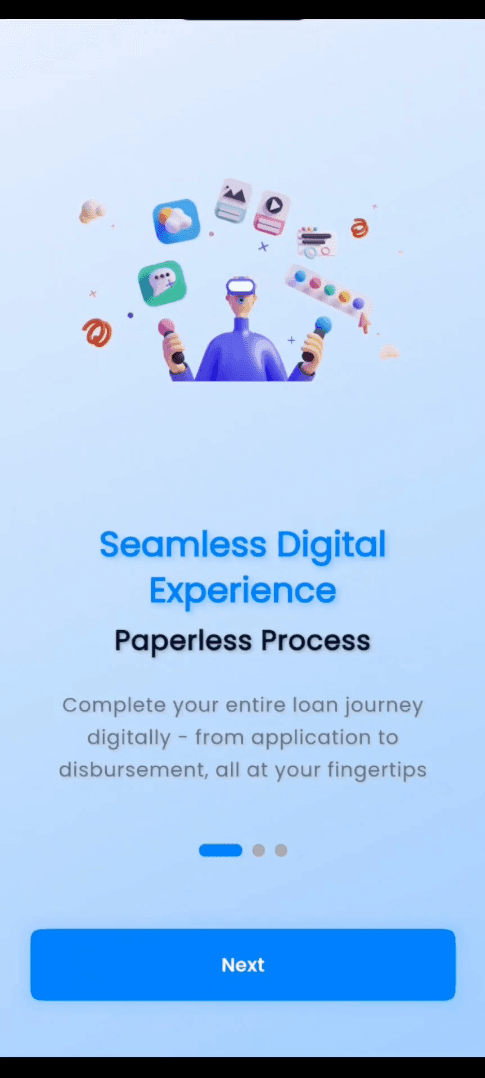
    CreditSea App Intro – 100% Paperless Loan Process

    CreditSea personal loan app splash screen displaying loan features and paperless process.

    Download and open the CreditSea app on your Android or iOS device to start your 100% paperless instant personal loan application.
  2. 2

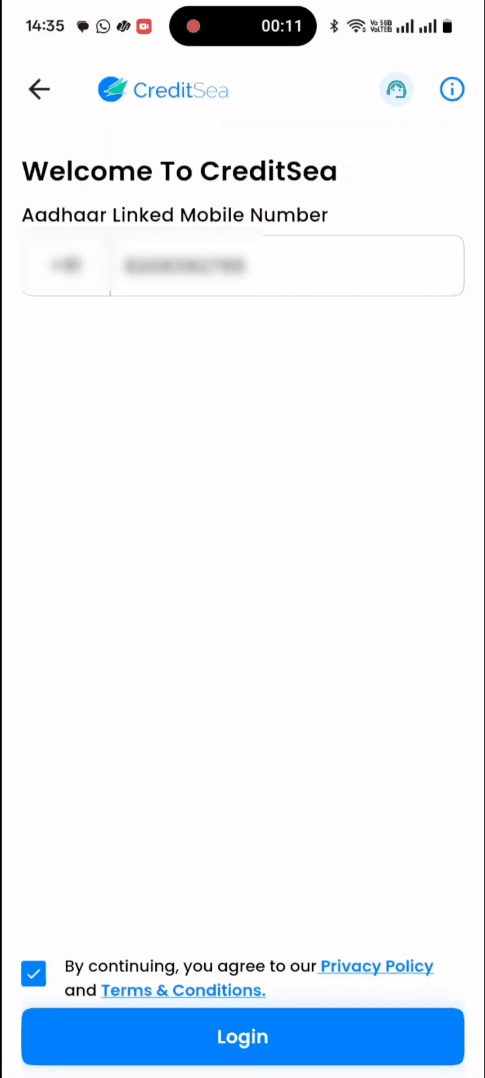
    Enter Your Aadhaar-Linked Mobile Number

    CreditSea loan mobile number entry screen with Aadhaar verification prompt.

    Input your mobile number linked to your Aadhaar card to begin the registration process safely.
  3. 3

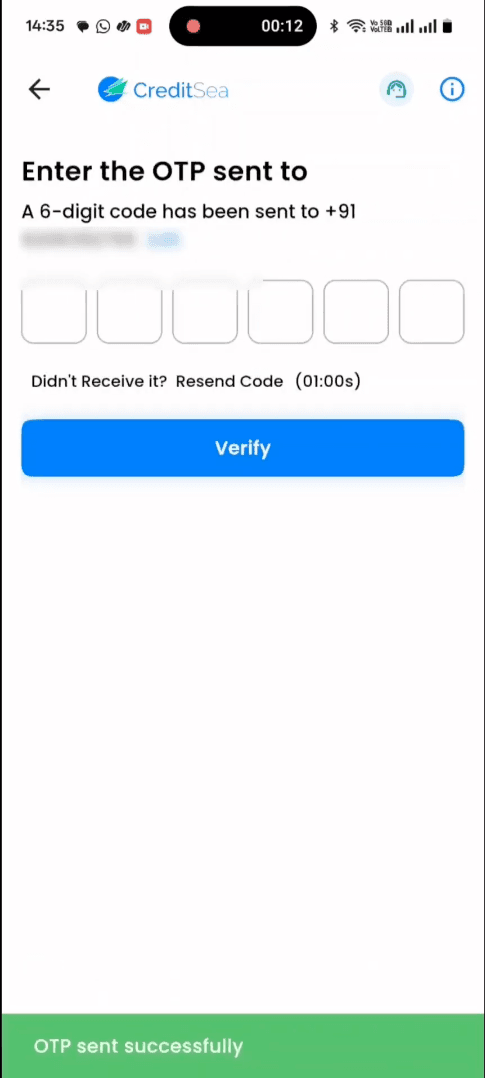
    Verify Your Mobile Number with OTP

    CreditSea mobile OTP verification screen with countdown timer and enter OTP input field.

    Enter the 6-digit OTP received via SMS on your registered mobile number to verify your identity.
  4. 4

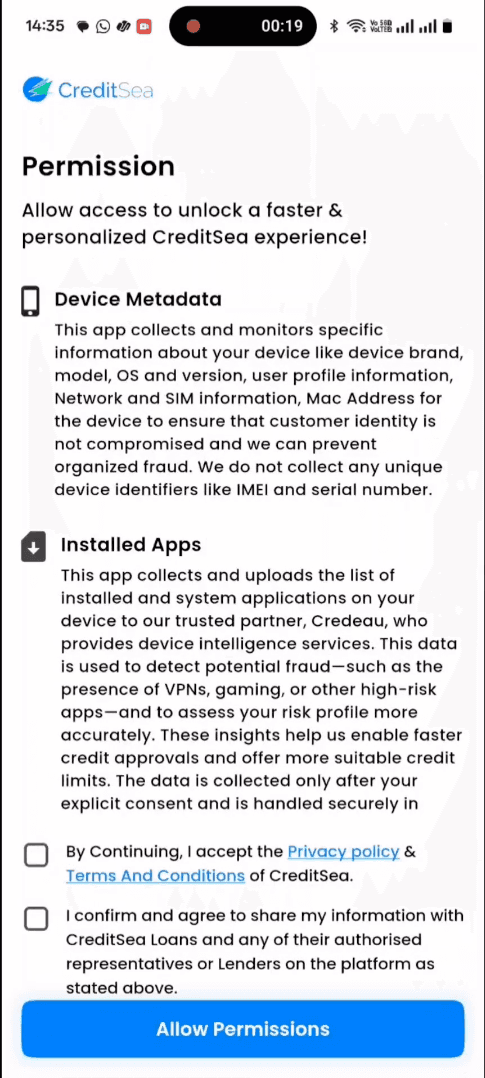
    Accept the Terms and Tap Login

    CreditSea terms and conditions agreement login screen.

    Read and accept CreditSea's terms and privacy policy, then tap the Login button to access your loan account dashboard.
  5. 5

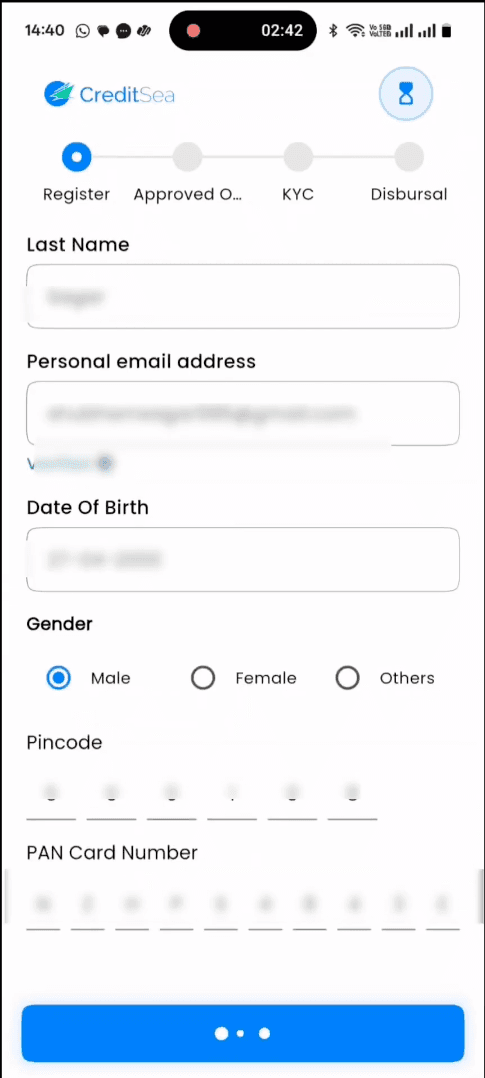
    Start Registration – Enter Your Name and Email

    CreditSea personal registration screen requesting full name and email address.

    Provide your full legal name as mentioned on your PAN card along with your active email address for official communication.
  6. 6

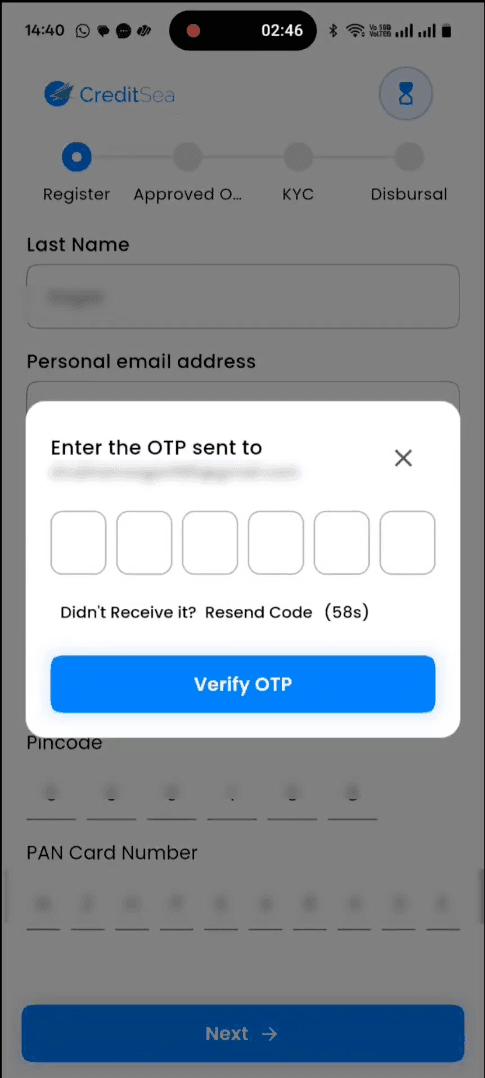
    Verify Your Email with OTP

    CreditSea email OTP verification screen.

    Enter the verification code sent to your email address to validate your contact details.
  7. 7

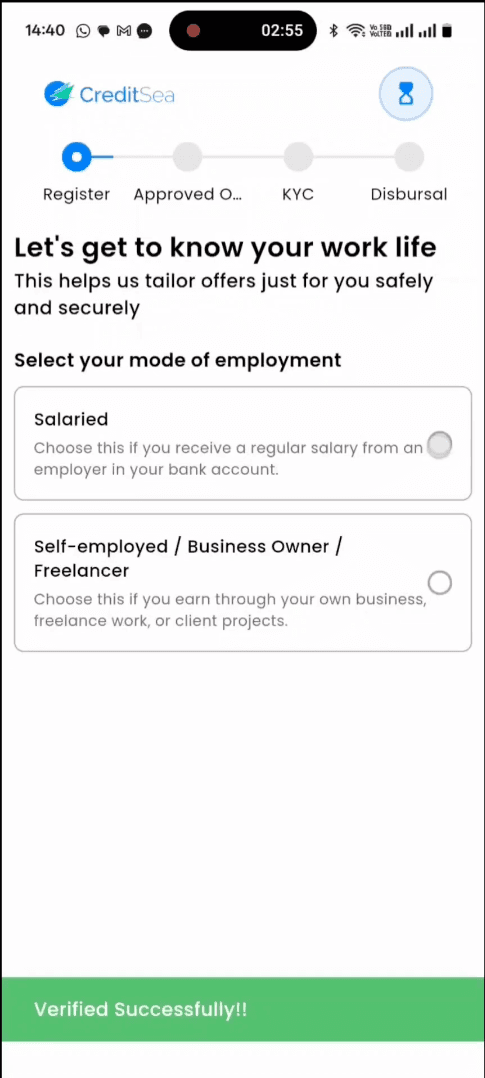
    Select Your Mode of Employment

    CreditSea employment mode selection screen displaying salaried and self-employed choices.

    Select whether you are Salaried, Self-Employed, or a Business Owner to proceed with tailored loan eligibility checking.
  8. 8

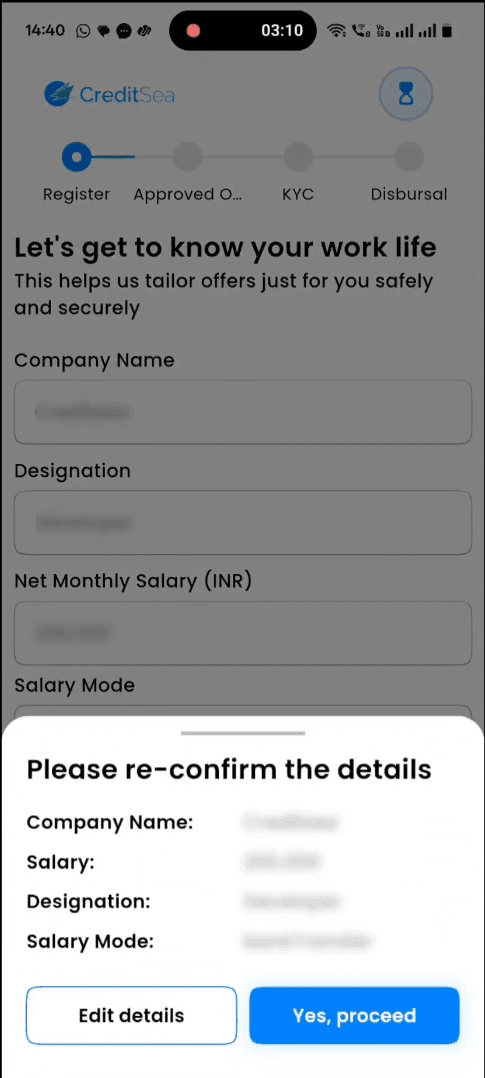
    Enter Your Work Details

    CreditSea employment details input screen for monthly salary and company name.

    Enter your net monthly income, employer/business name, and work tenure to calculate your instant pre-approved loan amount.
  9. 9

    Select Your Bank Account for Verification

    CreditSea bank selection screen for instant account authentication.

    Choose your main bank account where your monthly salary or income is credited for instant account verification.
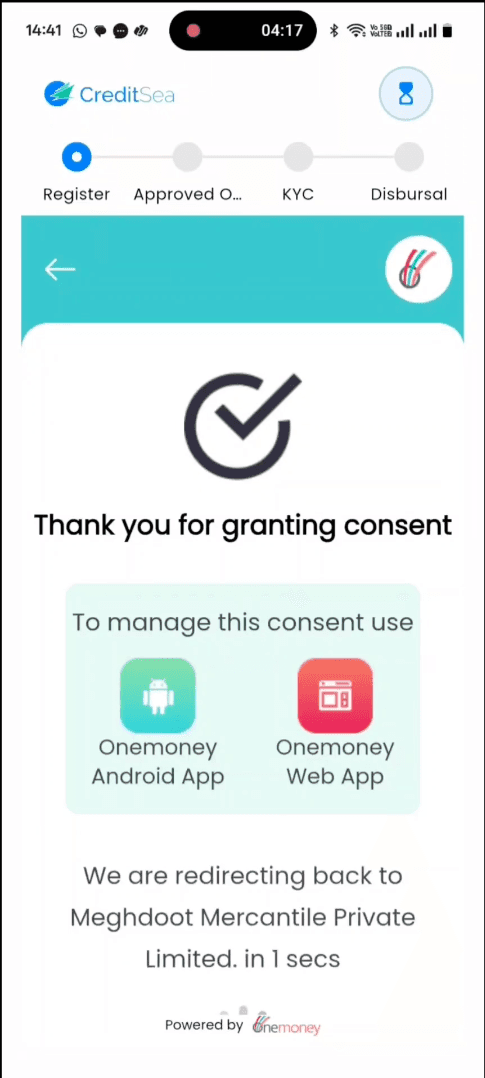
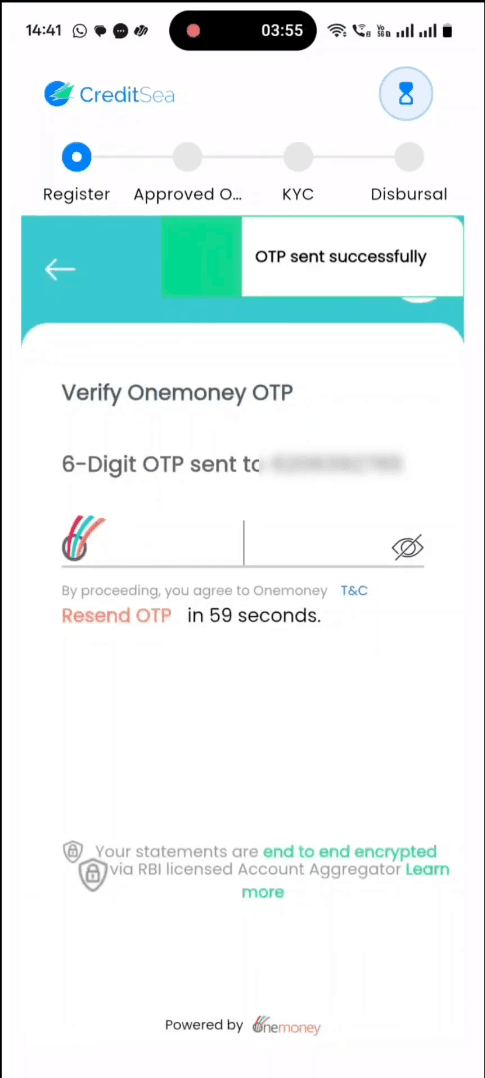
  10. 10

    Share Your Bank Statement with Onemoney OTP

    CreditSea Onemoney OTP bank statement verification screen.

    Securely share your bank statements using Onemoney Account Aggregator OTP verification without manual uploads.
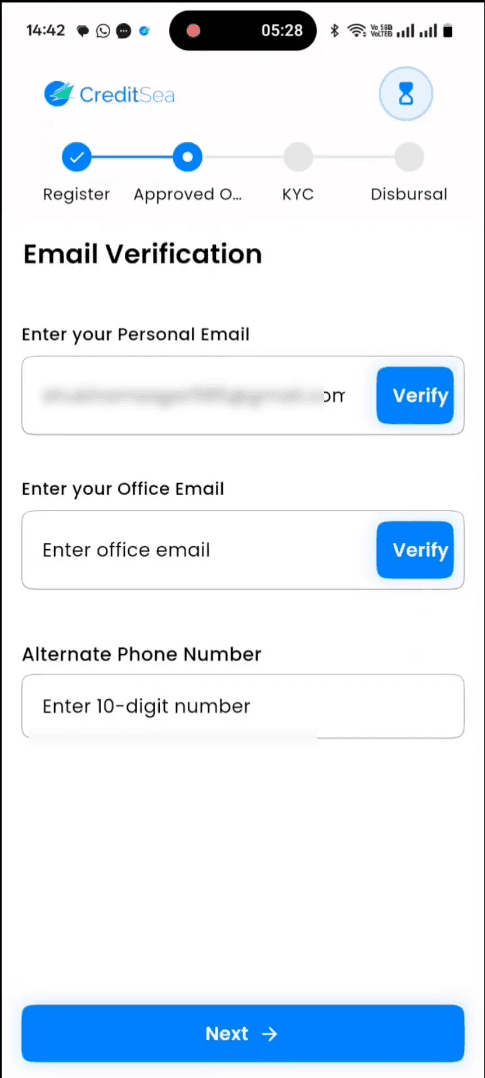
  11. 11

    Verify Your Personal and Office Email

    CreditSea dual email verification screen for personal and office email.

    Confirm your personal email and work email address to speed up verification and boost approval chances.
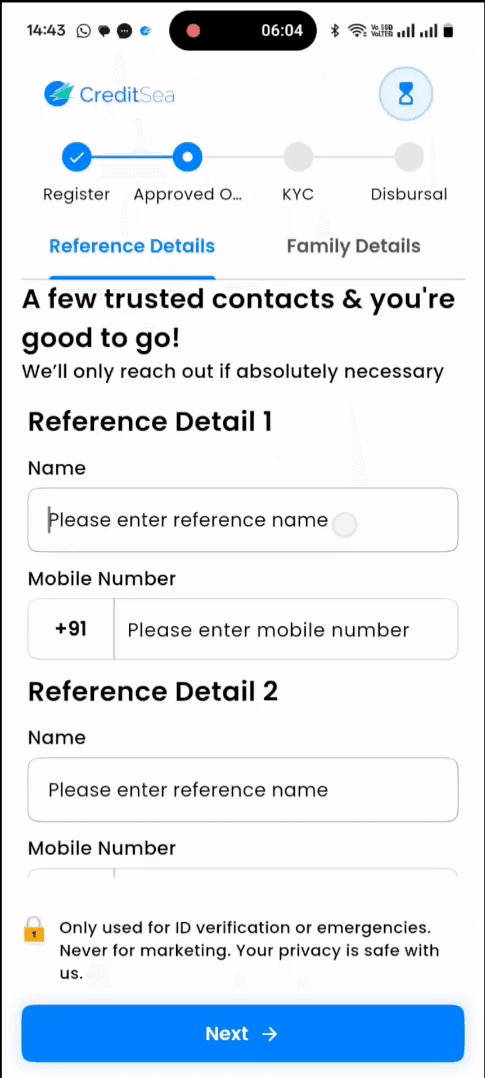
  12. 12

    Add Two Reference Contacts

    CreditSea reference contacts form requesting details of two personal references.

    Add contact information for two personal references (family members or friends) as required for loan processing.
  13. 13

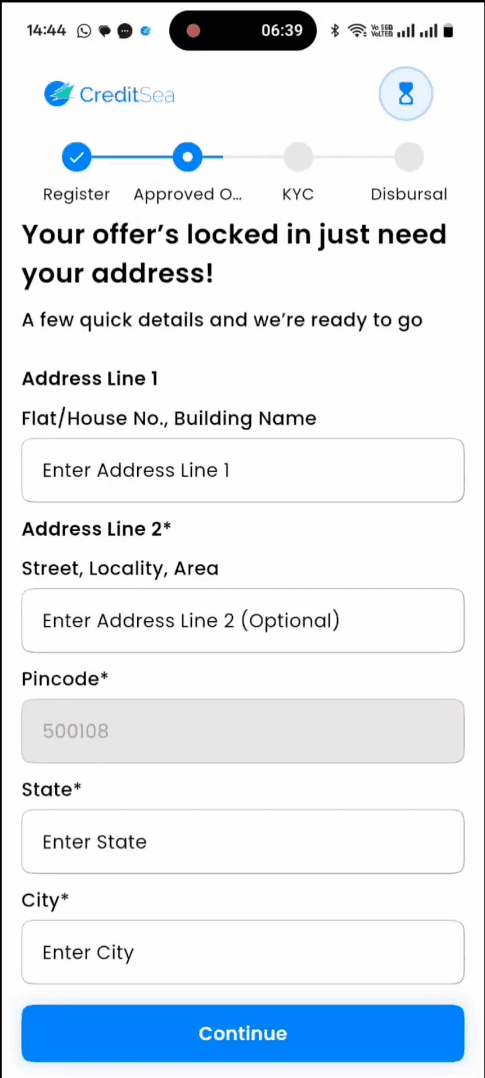
    Enter Your Current Address

    CreditSea address entry form for current residence verification.

    Enter your full current residential address, landmark, and pincode to verify your location.
  14. 14

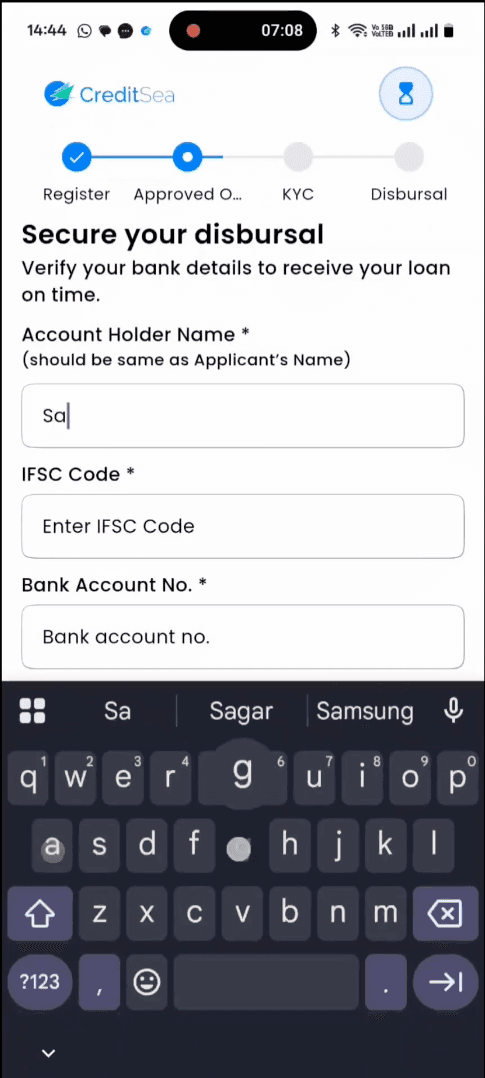
    Add the Bank Account to Receive Your Loan

    CreditSea bank account and IFSC setup screen for loan disbursal.

    Provide your savings bank account number and IFSC code to set up direct loan credit disbursal and auto-debit.
  15. 15

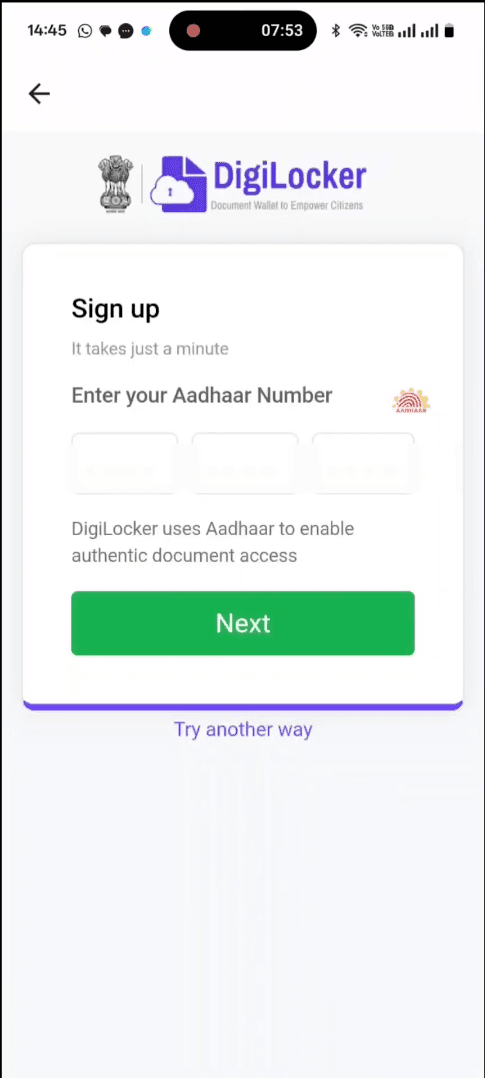
    Start Aadhaar KYC Verification

    CreditSea Aadhaar paperless eKYC verification screen.

    Initiate instant online Aadhaar paperless eKYC verification using UIDAI OTP.
  16. 16

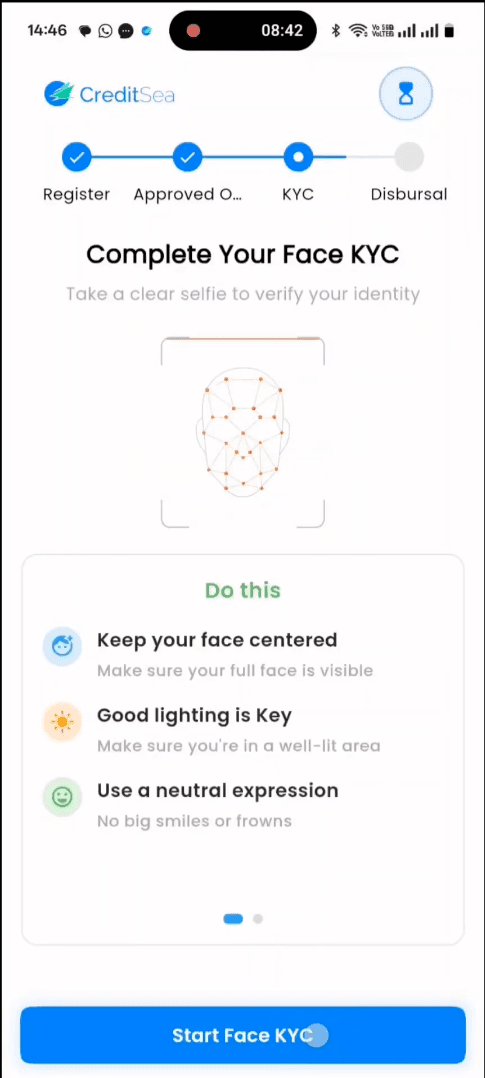
    Complete Face KYC with a Selfie

    CreditSea digital face KYC selfie capture interface.

    Take a live selfie photograph to complete face match KYC verification securely.
  17. 17

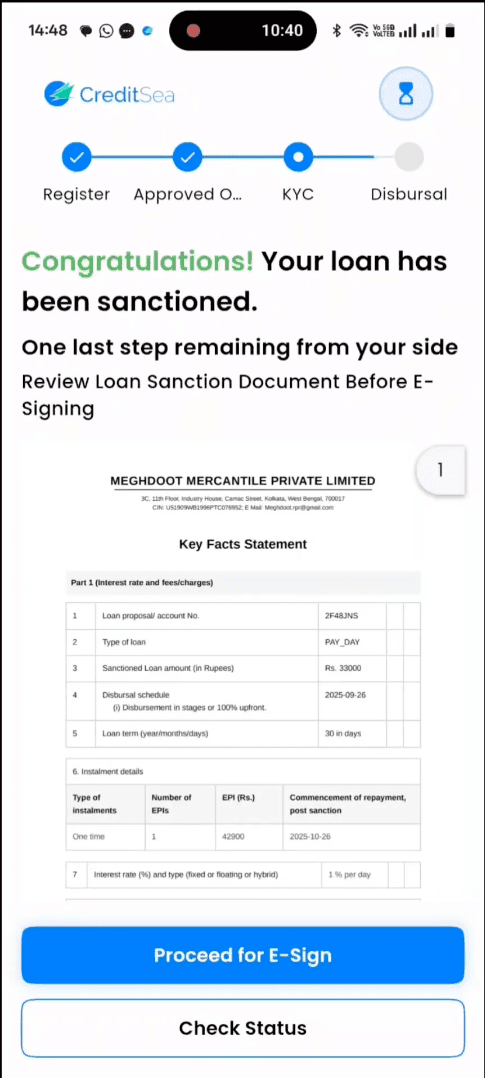
    Loan Sanctioned – Generate Your Loan Agreement

    CreditSea loan agreement sanction letter and digital e-sign option.

    Review your pre-approved loan agreement and Key Fact Statement (KFS) before digitally e-signing.
  18. 18

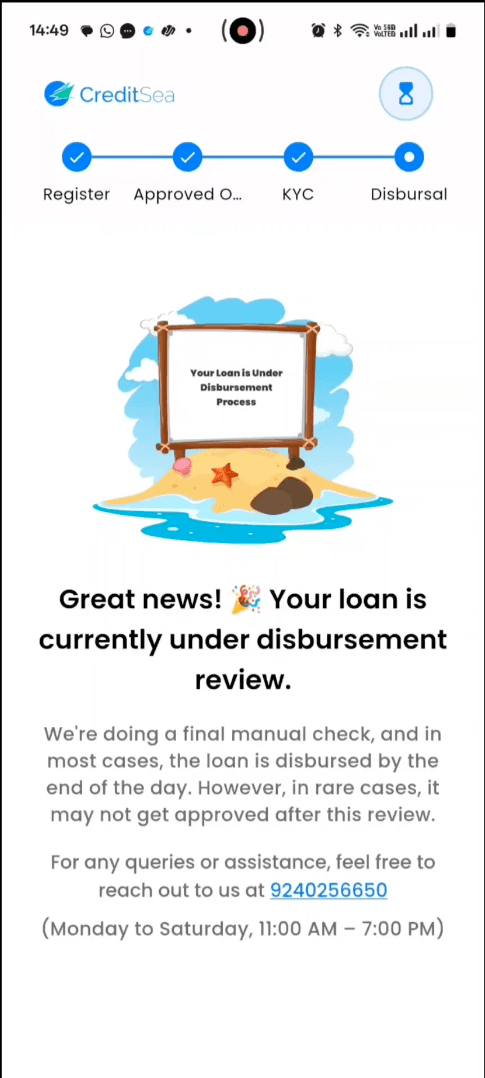
    Loan Under Disbursement Review

    CreditSea final loan disbursement status and success confirmation screen.

    Your application undergoes rapid review by CreditSea's RBI-registered NBFC partner and funds are transferred instantly.

CreditSea Loan Eligibility & Document Requirements

CreditSea offers instant unsecured personal loans through RBI-approved NBFC partners. Applicants must meet basic eligibility criteria and submit minimal digital KYC documents.

ParameterDetails
Loan Amount₹6,000 to ₹2,00,000
Interest Rate14% to 36% p.a.
Tenure3 to 36 months
Processing Fee2% to 4.5%
Age Limit23 to 50 years
Minimum Income₹18,000 (Metro) / ₹15,000 (Non-metro)
Required DocumentsAadhaar Card, PAN Card, Bank Statement & Selfie
App Version1.0.182
Downloads1M+
Required OSAndroid 7.1+
Release DateMarch 2025
Download Size77MB

CreditSea Personal Loan EMI & Cost Calculation Example

Here is a representative example showing the interest, processing fee, and monthly EMI calculation for a CreditSea instant personal loan:

ParameterCalculation / Value
Loan Amount Borrowed₹50,000
Interest Rate (p.a.)18%
Tenure12 Months
Monthly EMI₹4,584
Processing Fee (2.5%)₹1,250
GST on Processing Fee (18%)₹225
Total Interest Payable₹5,008
Net Amount Disbursed₹48,525
Total Repayment Amount₹55,008

CreditSea Loan App FAQs

creditsea is real or fake

CreditSea is a real, legitimate digital lending platform and is not a scam or fake app.

How quickly is a CreditSea personal loan disbursed?

Once your application, eKYC, and bank statement verification are approved and you e-sign the loan agreement, the funds are disbursed directly into your bank account within minutes.

What documents are required to apply for a CreditSea personal loan?

You need your PAN Card, Aadhaar Card for digital eKYC, latest bank statement or salary slips for income proof, and a live selfie for identity verification.

Can I get a personal loan with CreditSea if I have a low credit score?

Yes, CreditSea's RBI-registered NBFC partners evaluate each application individually based on your steady income, employment stability, and financial history, rather than relying solely on your CIBIL score.

Is CreditSea RBI-approved?

CreditSea is not a direct RBI-registered NBFC, as the Reserve Bank of India does not issue direct registration or approval certificates to digital lending apps themselves.

Is CreditSea safe to use?

Yes, CreditSea is a real and legally operating digital lending platform in India, but users report mixed experiences regarding communication and customer service.

You may also like

More Loan guides first, then other options readers compare.

Apply Now