

Skip to content
Rush Tamizha
Upstox Demat and Trading App official logo

Demat Account

Upstox

Open a free Upstox Demat account and invest in stocks, mutual funds and IPOs.

Rating
4.4
  • ₹0 Demat and trading account opening
  • ₹0 AMC for the first year for eligible new customers
  • Equity delivery brokerage up to ₹20 per order
  • ₹0 commission on mutual funds and IPOs
  • 100% paperless account opening with Aadhaar
  • Invest in stocks, mutual funds, ETFs and IPOs
  • Advanced charts and trading tools
Share this guide

Affiliate disclosure: Some links on this page are affiliate links. If you apply or sign up through them, we may earn a commission at no extra cost to you. Read our disclaimer.

How to Open Upstox Demat Account Online - Step by Step

  1. 1

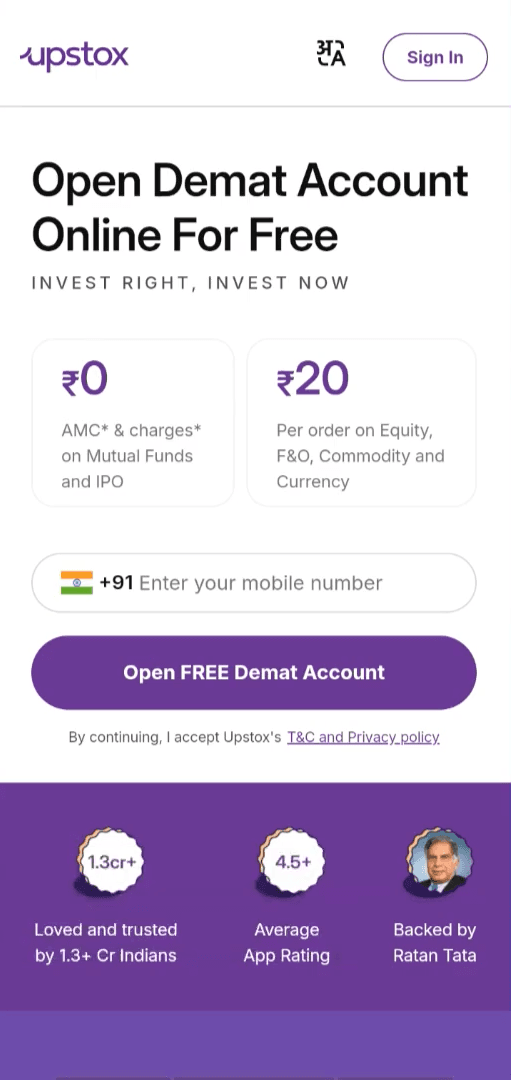
    Visit Upstox and Start Registration

    Upstox free Demat account registration page

    Visit the official Upstox website or download the app. Click Open Free Demat Account to begin the registration process.

    Open Upstox Account
  2. 2

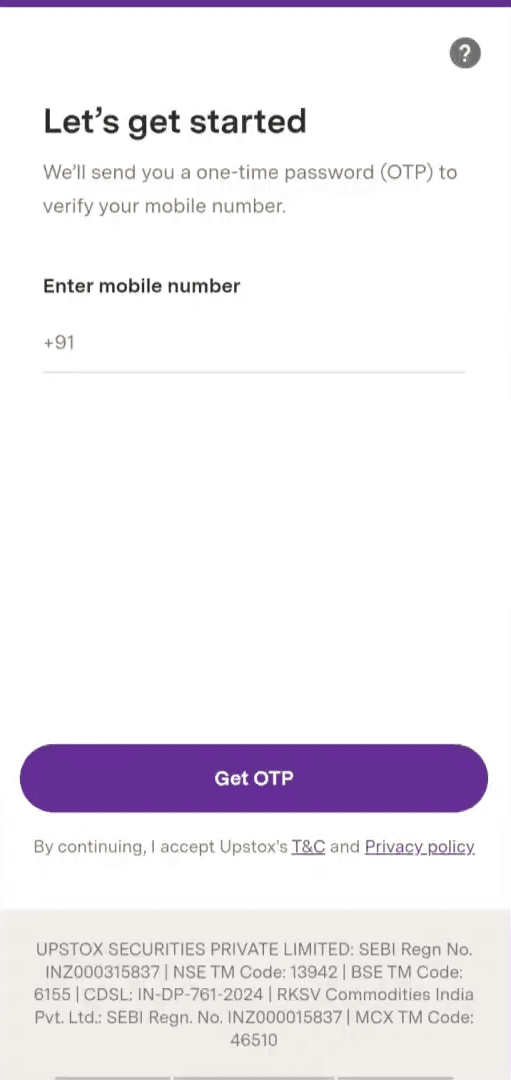
    Enter Mobile Number

    Upstox step 2: Enter Mobile Number

    Enter your mobile number linked to your Aadhaar and click continue to proceed.

  3. 3

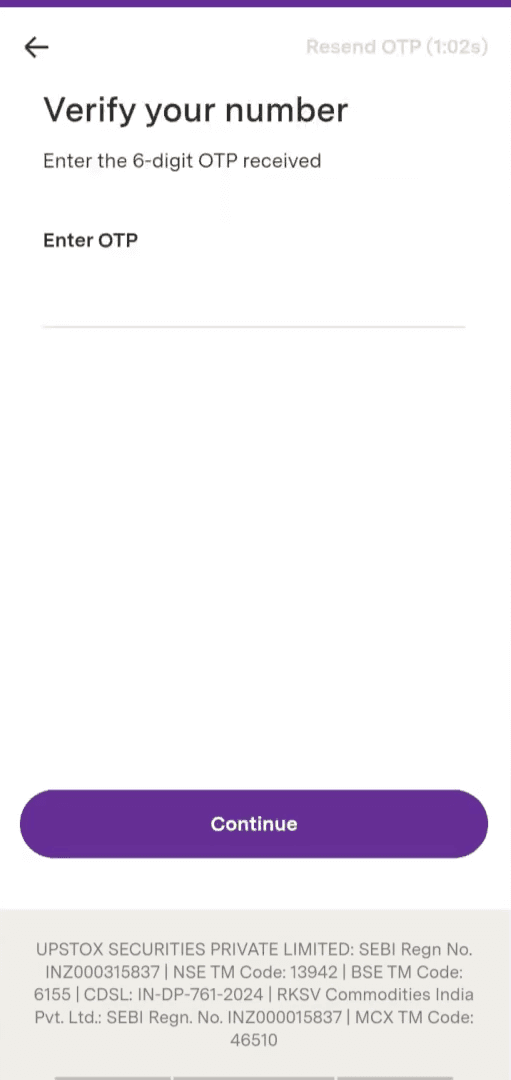
    Verify Mobile OTP

    Upstox step 3: Verify Mobile OTP

    Enter the one-time password (OTP) sent to your mobile number to verify it.

  4. 4

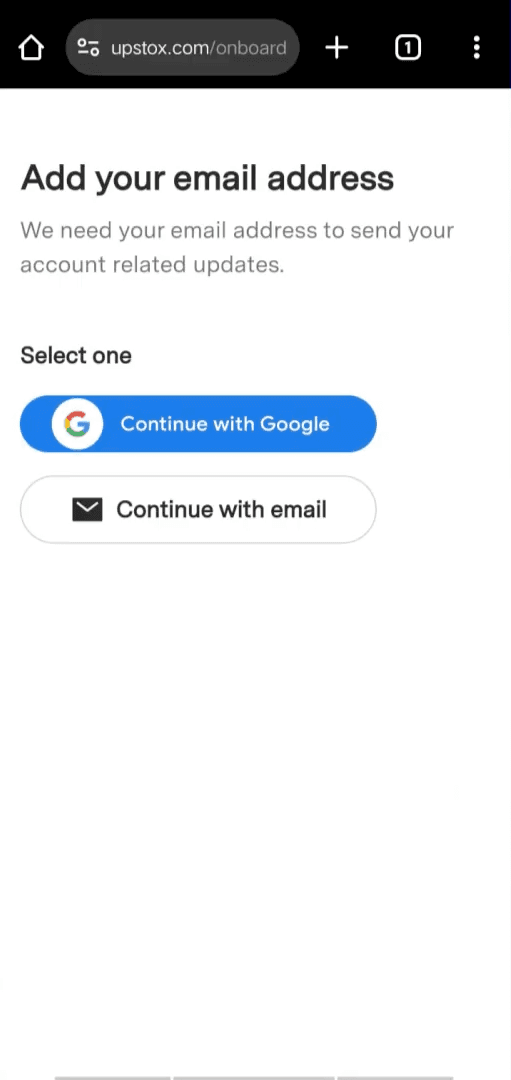
    Select or Enter Email ID

    Upstox step 4: Select or Enter Email ID

    Choose a Google/Gmail account or opt to enter your email address manually.

  5. 5

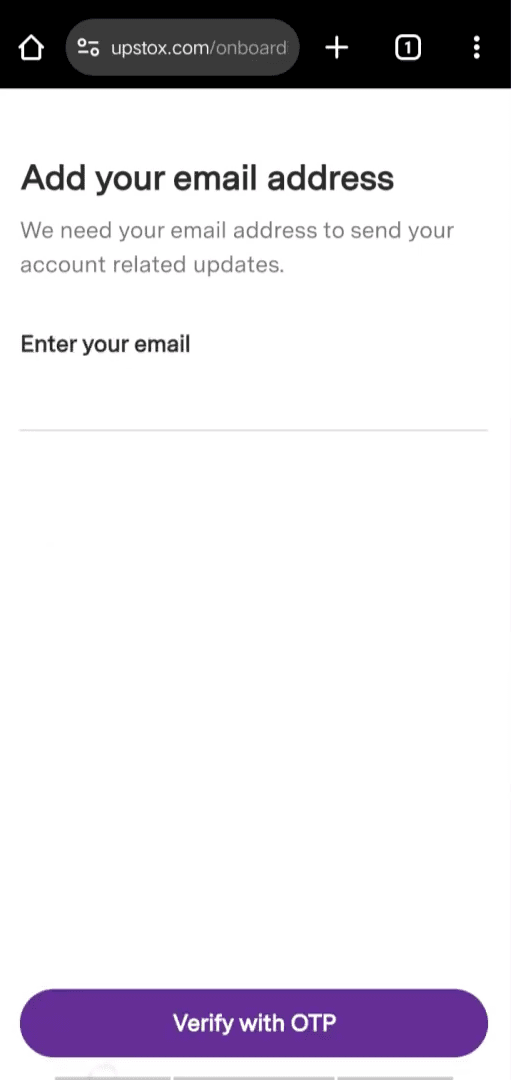
    Enter Email Address Manually

    Upstox step 5: Enter Email Address Manually

    Type in your active email address if you chose manual entry and proceed.

  6. 6

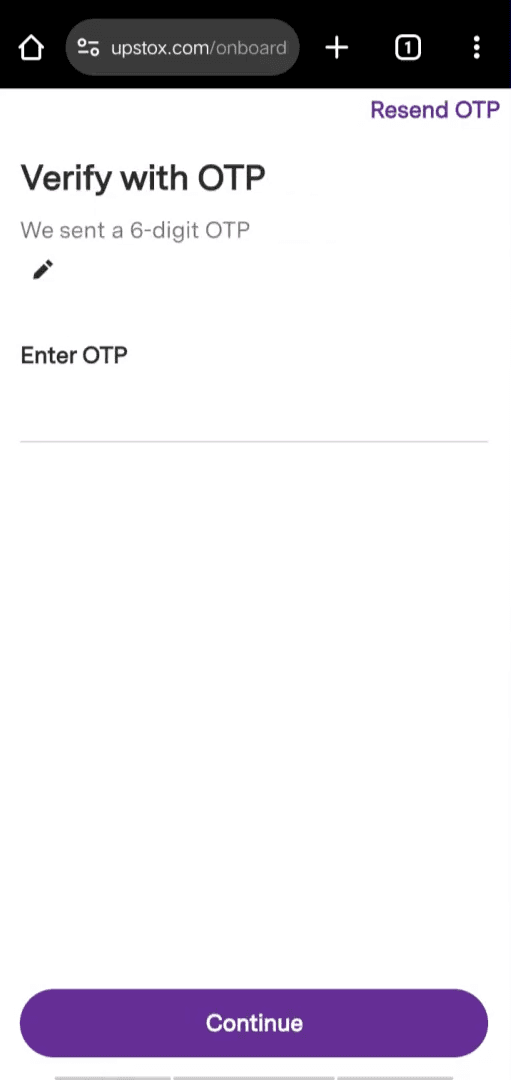
    Verify Email OTP

    Upstox step 6: Verify Email OTP

    Enter the verification code (OTP) sent to your email address.

  7. 7

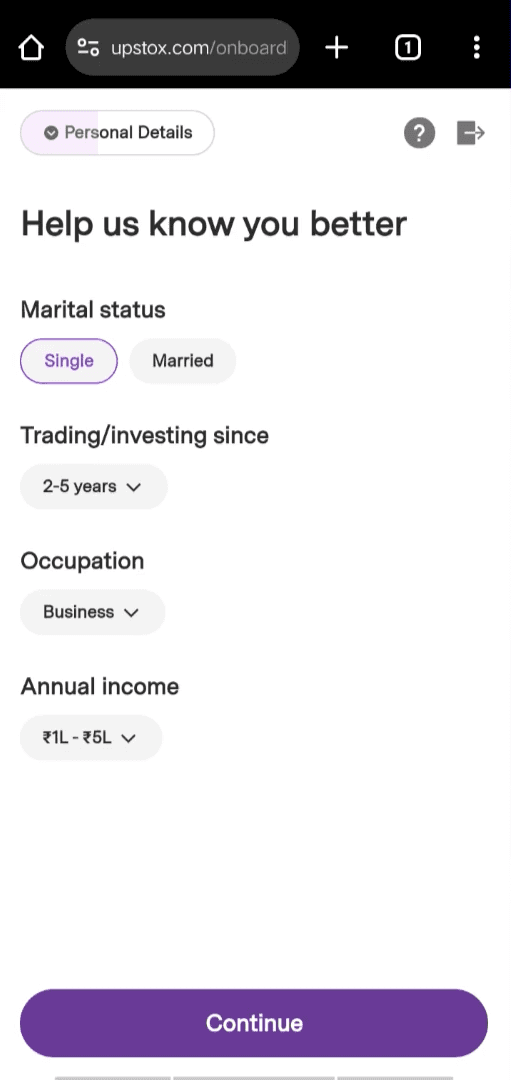
    Personal & Trading Details

    Upstox step 7: Personal & Trading Details

    Select your marital status, trading experience, occupation, and annual income range.

  8. 8

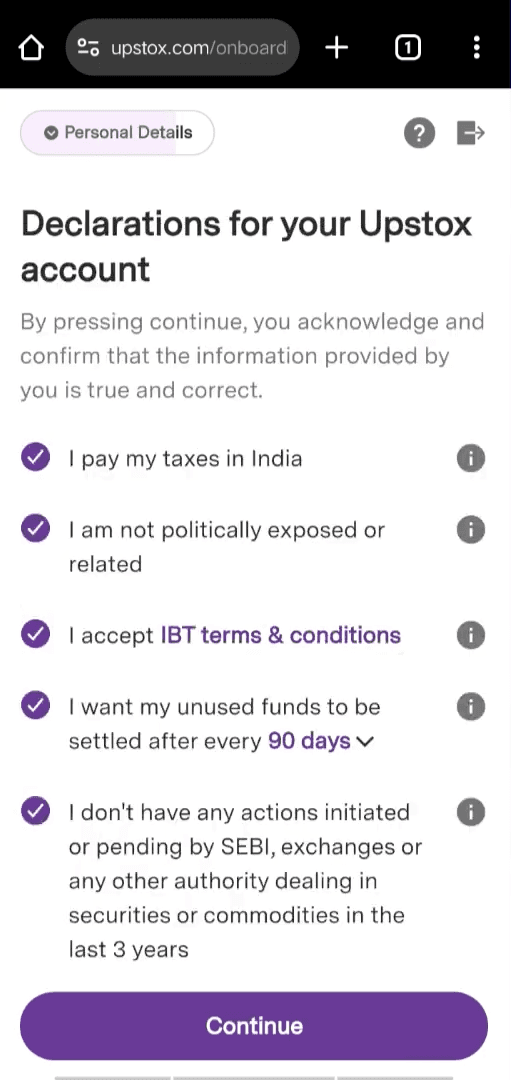
    Review Declarations

    Upstox step 8: Review Declarations

    Read and accept the required regulatory declarations to continue.

  9. 9

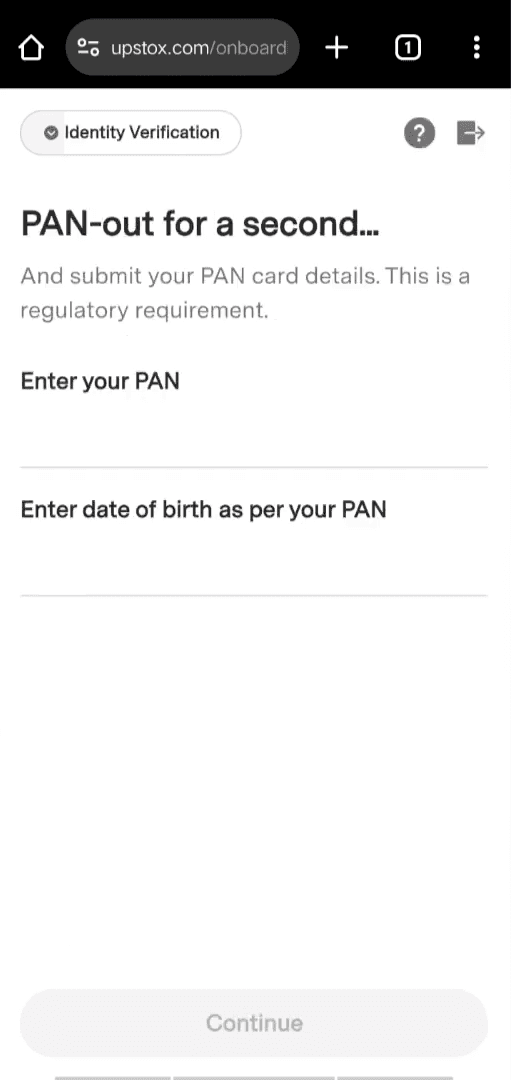
    Enter PAN Details

    Upstox step 9: Enter PAN Details

    Enter your PAN card number and confirm your fetched PAN details.

  10. 10

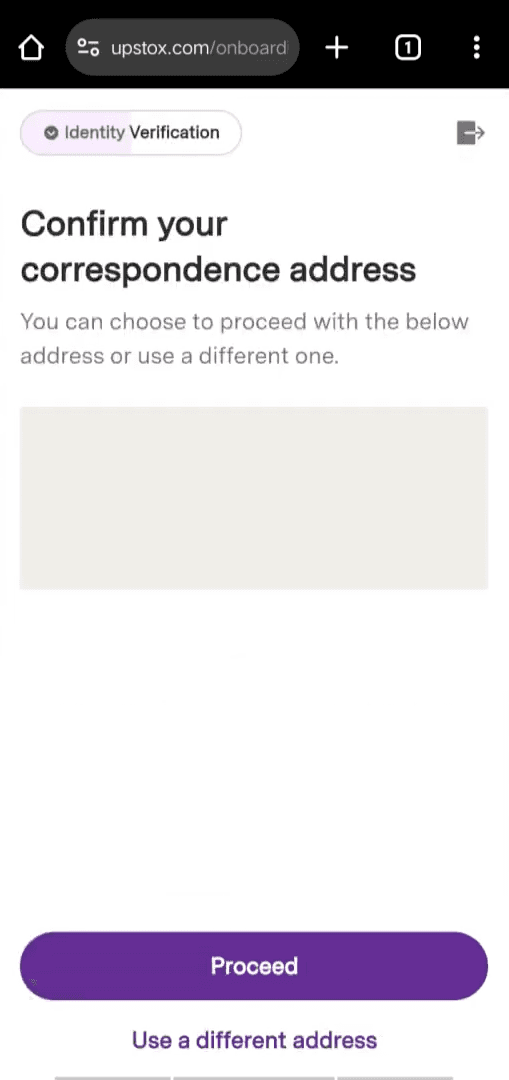
    Confirm Address

    Upstox step 10: Confirm Address

    Verify and confirm your communication/permanent address fetched from KYC records.

  11. 11

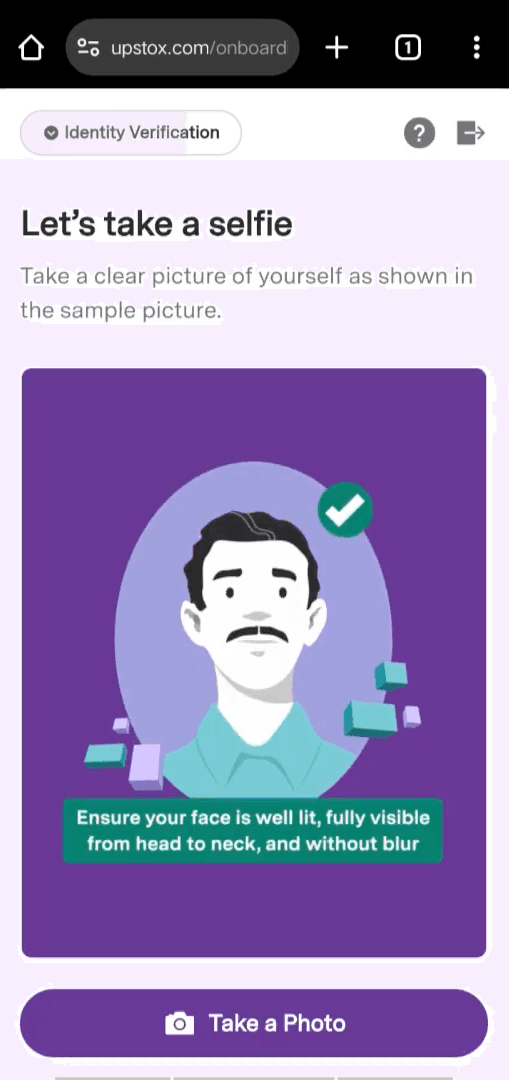
    Capture Live Selfie

    Upstox step 11: Capture Live Selfie

    Take a clear live selfie following the on-screen instructions for identity verification.

  12. 12

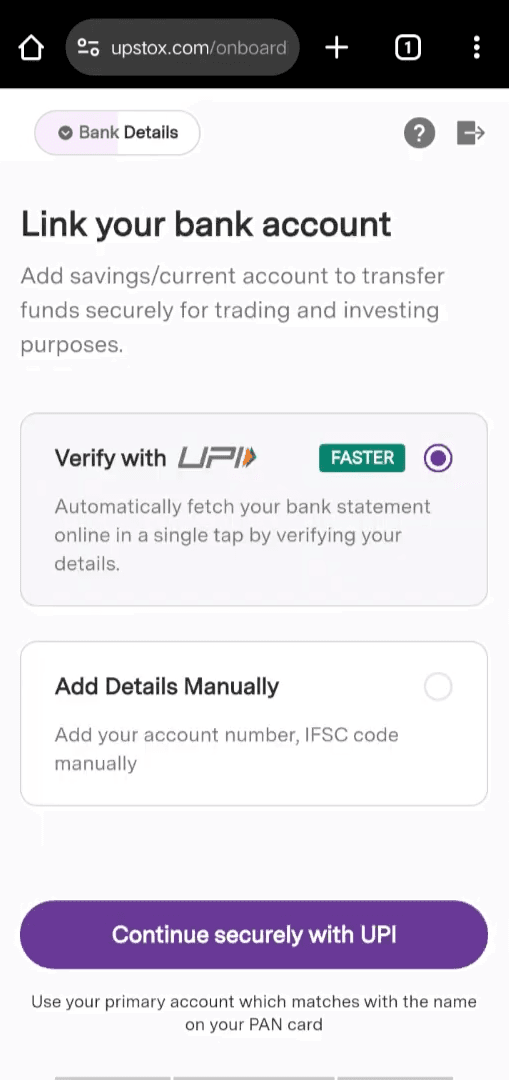
    Link Bank Account (UPI or Manual)

    Upstox step 12: Link Bank Account (UPI or Manual)

    Verify your bank account using UPI or choose manual bank entry.

  13. 13

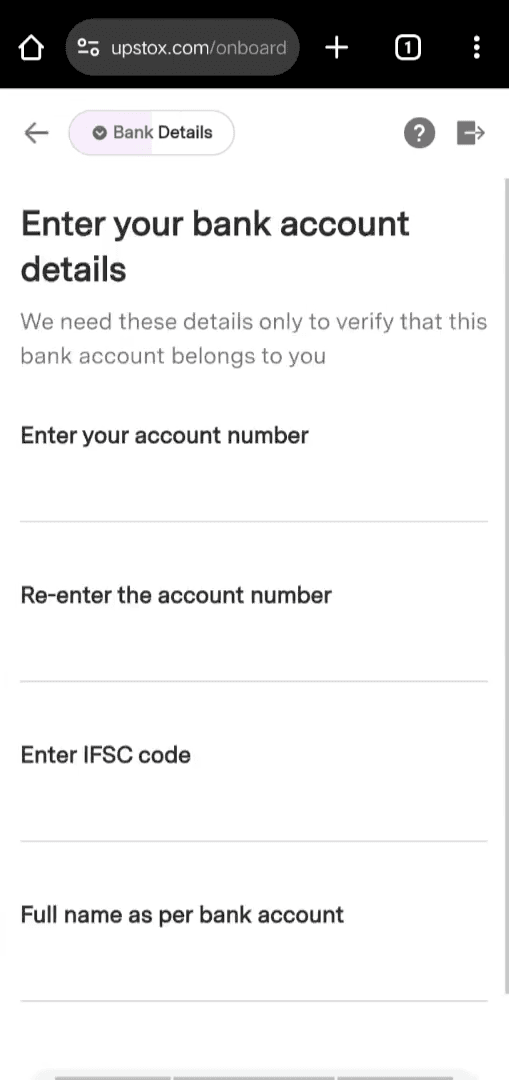
    Enter Bank Details Manually

    Upstox step 13: Enter Bank Details Manually

    Enter your bank account number and IFSC code manually, then submit for verification.

  14. 14

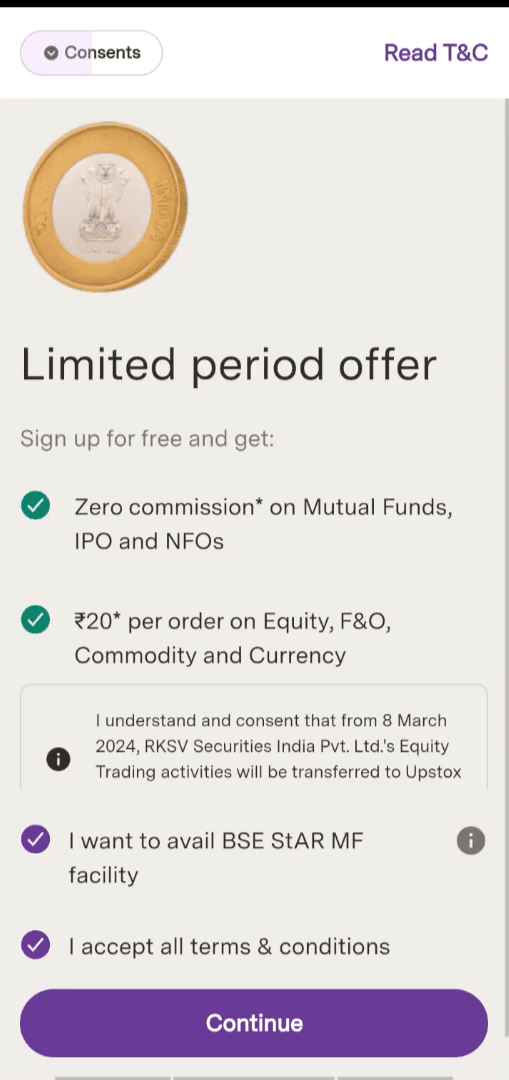
    Review Offer & Continue

    Upstox step 14: Review Offer & Continue

    Review the plan/offer details shown on screen and tap continue.

  15. 15

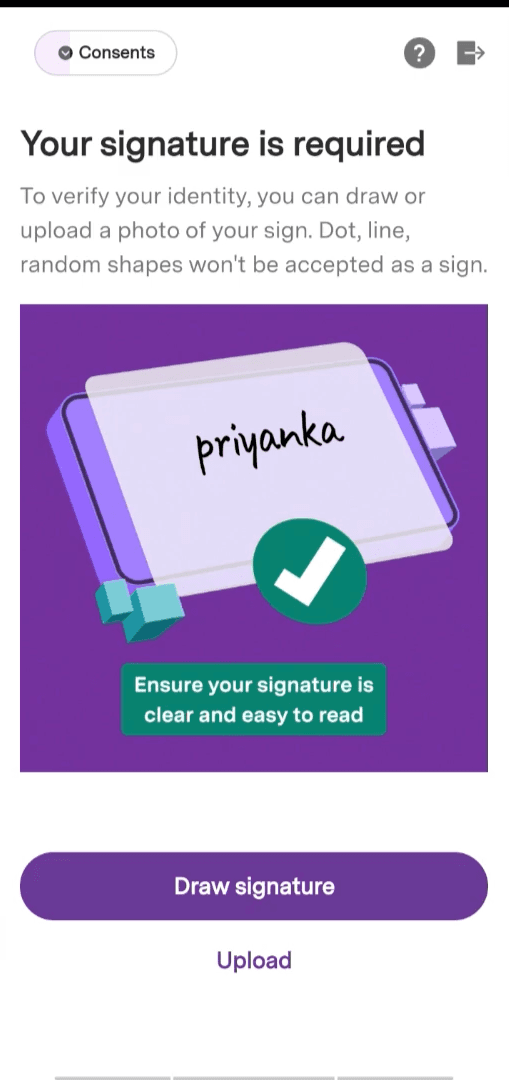
    Digital Signature

    Upstox step 15: Digital Signature

    Complete your digital signature on the screen as prompted.

  16. 16

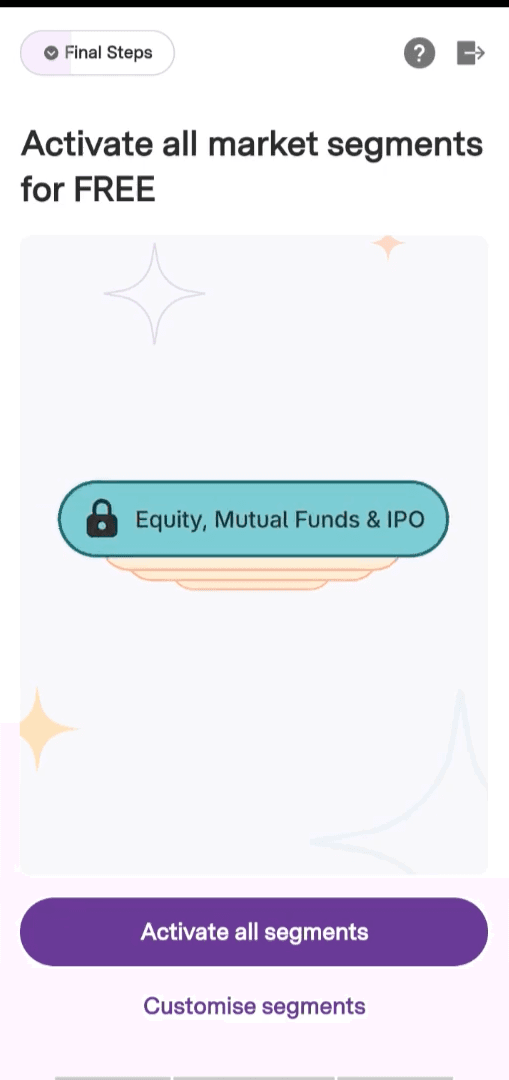
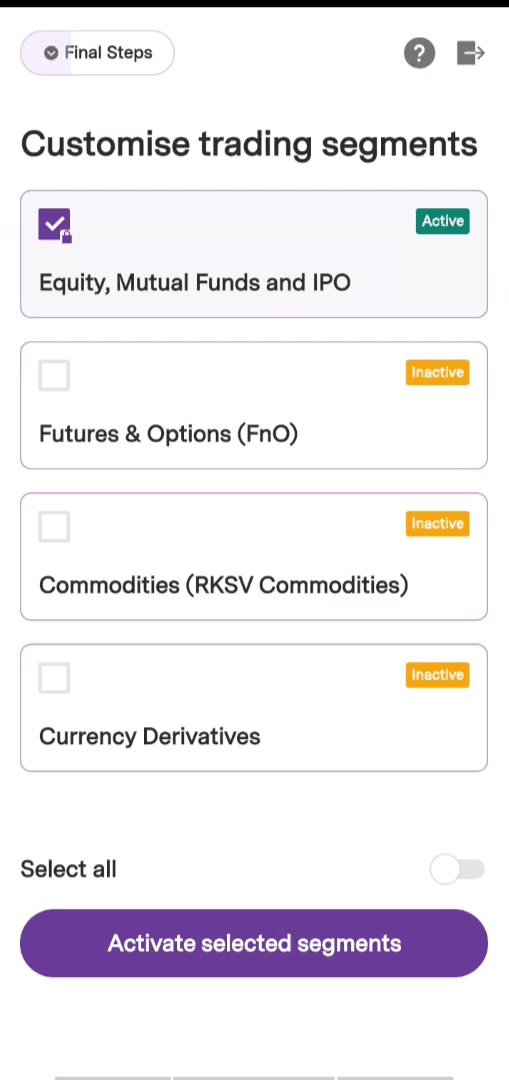
    Select Trading Segments (Part 1)

    Upstox step 16: Select Trading Segments (Part 1)

    Choose the trading segments you want to activate (such as Equity).

  17. 17

    Select Trading Segments (Part 2)

    Upstox step 17: Select Trading Segments (Part 2)

    Confirm or select additional trading segments (such as F&O, if applicable) and proceed.

  18. 18

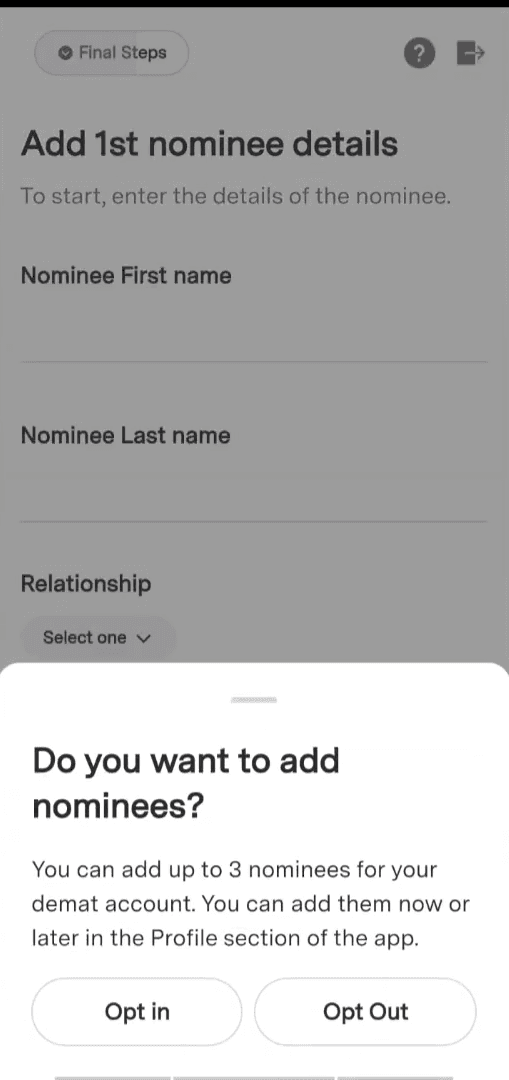
    Add Nominee Details

    Upstox step 18: Add Nominee Details

    Add nominee details for your account or choose to opt out/add later.

  19. 19

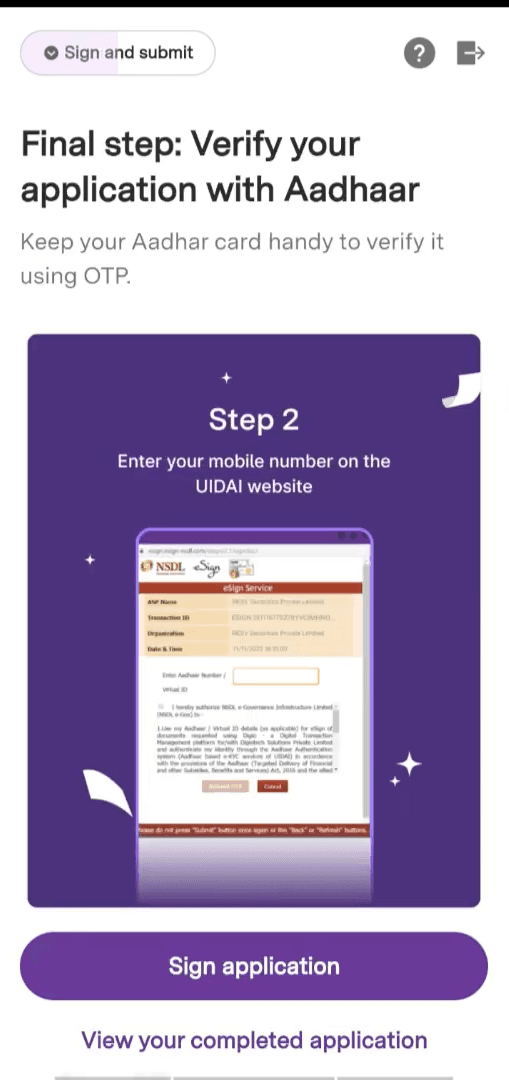
    Proceed to Aadhaar eSign

    Upstox step 19: Proceed to Aadhaar eSign

    Tap continue to start Aadhaar-based eSign verification.

  20. 20

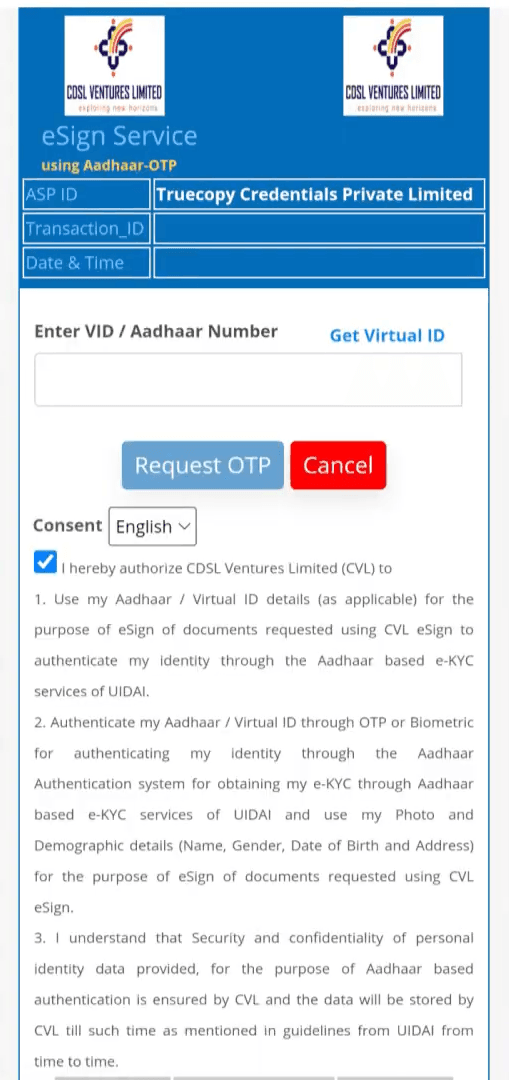
    Enter Aadhaar Number

    Upstox step 20: Enter Aadhaar Number

    Enter your 12-digit Aadhaar number or Virtual ID on the eSign screen.

  21. 21

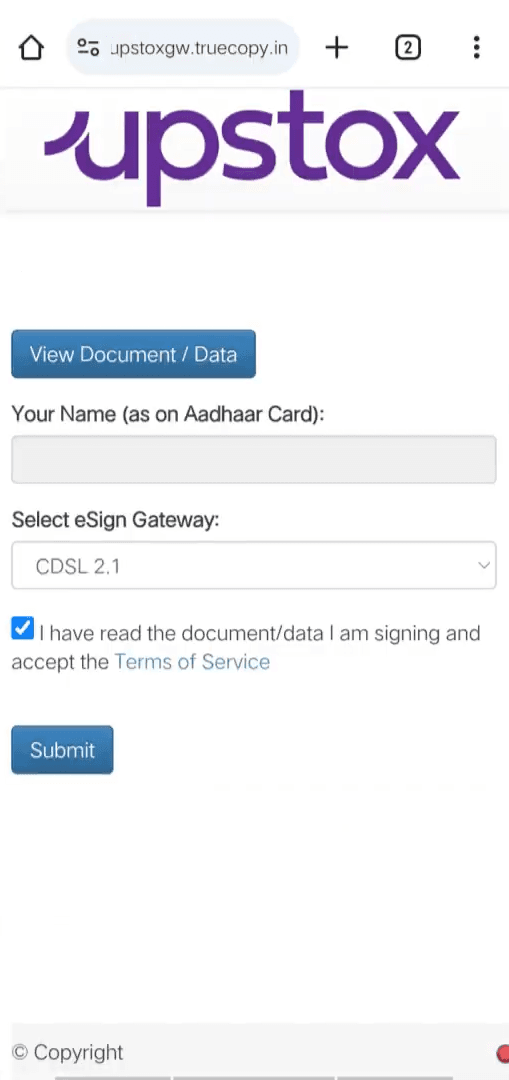
    Authorize Aadhaar eSign

    Upstox step 21: Authorize Aadhaar eSign

    Submit your Aadhaar details and accept the eSign consent prompt.

  22. 22

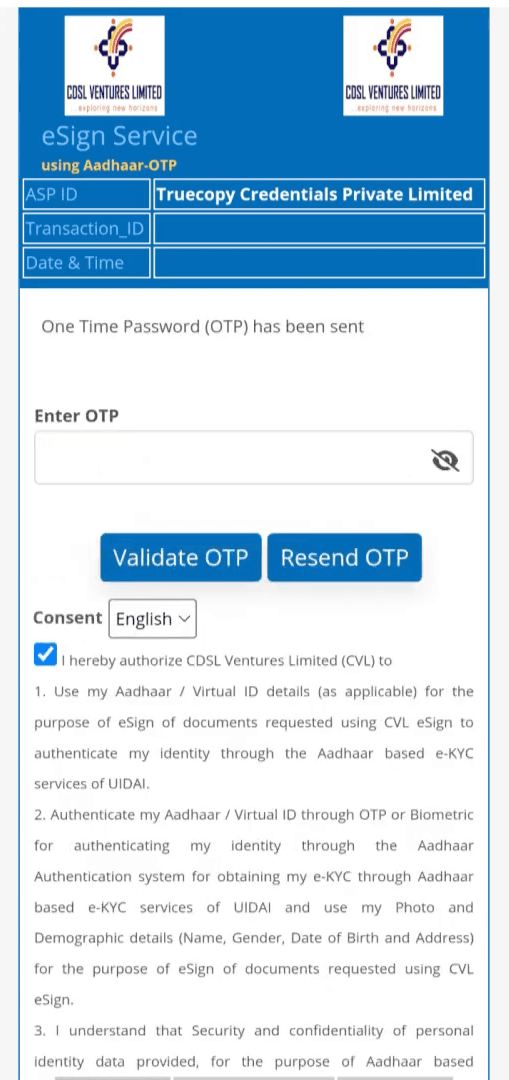
    Enter Aadhaar OTP

    Upstox step 22: Enter Aadhaar OTP

    Enter the OTP sent to your Aadhaar-registered mobile number to complete eSign.

  23. 23

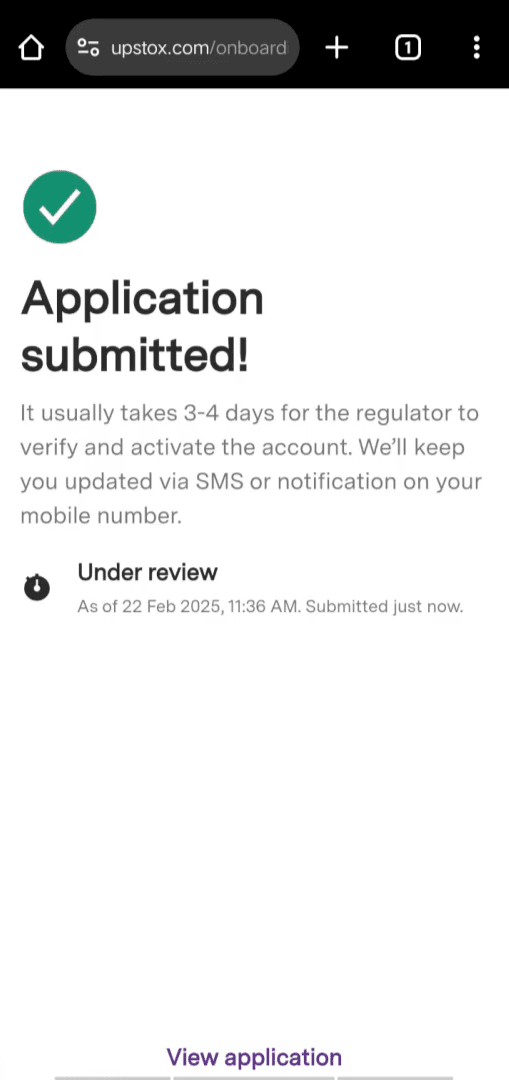
    Application Submitted — Check Email

    Upstox step 23: Application Submitted — Check Email

    Your application is submitted for review. Watch for account activation and login details via email and SMS.

Upstox Demat Account Charges

Upstox offers free Demat account opening and first-year AMC benefits for eligible new customers. Brokerage, depository charges, taxes and other applicable fees may apply. Always check the latest pricing before investing.

  • Free Demat and trading account opening
  • First-year AMC waived for eligible newly onboarded users
  • Brokerage applies to equity delivery trades
  • Mutual funds and IPOs have zero commission
  • Depository participant charges apply when selling delivery holdings
  • Government taxes and exchange charges are additional
FeeAmount
Account opening₹0
First-year AMC₹0 for eligible new customers
AMC after first year₹300 + GST for non-BSDA accounts
Equity delivery brokerage₹20 per executed order
Equity intradayLower of ₹20 or 0.1% per order
Equity futuresLower of ₹20 or 0.05% per order
Equity options₹20 per executed order
Mutual fund commission₹0
IPO commission₹0
DP charges on delivery sales₹20 per scrip per day
Taxes and statutory chargesAdditional as applicable

Documents Required for Upstox Account Opening

Keep the following documents and information ready to complete your online Demat account registration.

  • PAN card
  • Aadhaar card
  • Mobile number linked with Aadhaar
  • Active email address
  • Bank account number and IFSC
  • Bank proof if requested
  • Live selfie for identity verification
  • Income proof if required for F&O or commodity trading

Upstox Features and Benefits

Upstox provides investment and trading services through its mobile and web platforms for beginners and experienced market participants.

  • Online Demat and trading account opening
  • Stock investing through NSE and BSE
  • Intraday trading
  • Futures and options trading
  • Mutual fund investments
  • IPO applications
  • ETF investments
  • Portfolio and holdings tracking
  • Interactive stock charts
  • Advanced order and trading tools
  • Mobile and web trading access

Important Things to Know Before Opening an Account

Understand the charges and risks before using Upstox for stock market investing.

  • Free account opening does not mean all trades are free
  • Regular AMC may apply after the introductory period
  • Intraday and F&O trading involve significant financial risk
  • Stock market returns are not guaranteed
  • Review the latest brokerage and DP charges
  • Never share your login password, PIN or OTP
  • Only use the official Upstox website or app

Upstox FAQs

Is Upstox Demat account opening free?

Yes. Upstox currently advertises ₹0 Demat and trading account opening. Additional processing fees may apply in certain onboarding journeys, so check the final charges before submitting.

Is Upstox completely free?

No. Although account opening is free and eligible new customers receive a first-year AMC waiver, brokerage, DP charges, taxes and other fees may apply.

What are the Upstox delivery brokerage charges?

The standard published equity delivery brokerage is ₹20 per executed order, subject to applicable regulatory limits. Other statutory and transaction charges may apply.

What are the Upstox annual maintenance charges?

Upstox currently offers zero AMC for the first year to eligible newly onboarded customers. Standard non-BSDA AMC after that is ₹300 plus GST annually. BSDA accounts may have different charges.

Can I open Upstox using Aadhaar and PAN?

Yes. PAN and Aadhaar are used for online identity verification. You also need bank account details and may need to complete additional verification.

Can beginners use Upstox?

Yes. Beginners can use Upstox to invest in stocks, mutual funds and IPOs. New investors should understand trading charges and market risks before investing.

Is Upstox registered with SEBI?

Yes. Upstox operates through a SEBI-registered stockbroking entity. SEBI registration does not guarantee investment returns or eliminate market risk.

How long does Upstox account activation take?

Activation depends on successful KYC, document verification and account approval. Upstox will notify you once your account is activated.

Can I open an Upstox account without a PAN card?

Generally, no. A valid PAN is required for opening a regular Demat and trading account in India.

Can I apply for IPOs through Upstox?

Yes. Upstox supports IPO applications and advertises zero commission on IPO investments. Bank or other applicable charges may still apply.

Is Upstox safe for investing?

Upstox is a SEBI-registered broker. However, all market investments carry risks. Protect your account credentials and use only official platforms.

How do I open a free Upstox Demat account?

Visit the Upstox website, register with your mobile number, complete PAN and Aadhaar KYC, verify your bank details, complete identity verification and eSign, then submit your application.

You may also like

More Demat Account guides first, then other options readers compare.

Open